Project workspace
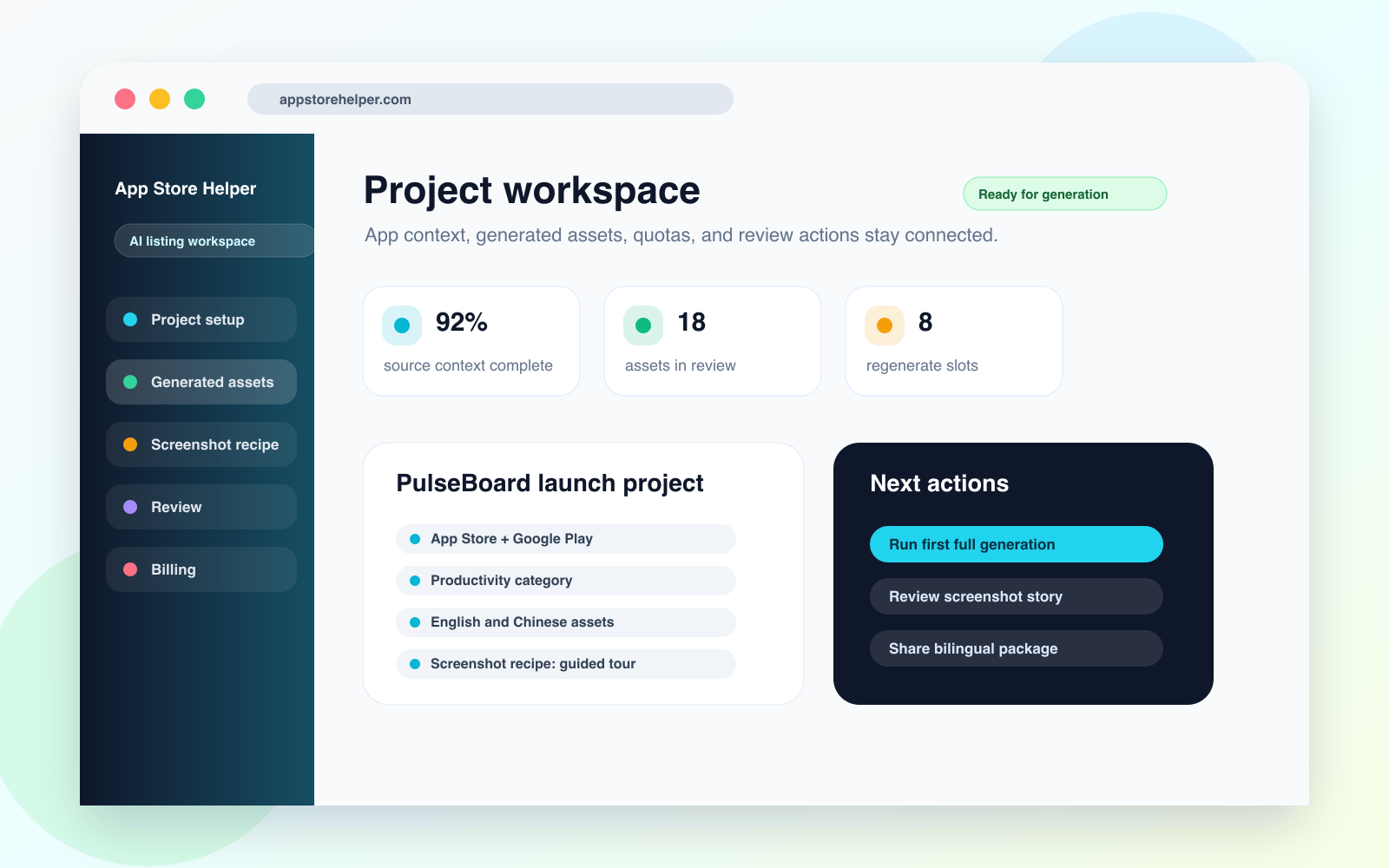
Project context, target platforms, screenshot direction, generation status, and next actions stay in one workspace.
Open PNGASO workflow tool
App Store Helper gives ASO, product, and creative teams one place to plan listing assets, generate copy, structure screenshots, control regenerate decisions, and prepare release review.
Product screenshots
These visuals cover the project workspace, listing output, screenshot recipe, bilingual review, and regenerate control for the website, directories, media kits, and external reviews.
Project context, target platforms, screenshot direction, generation status, and next actions stay in one workspace.
Open PNG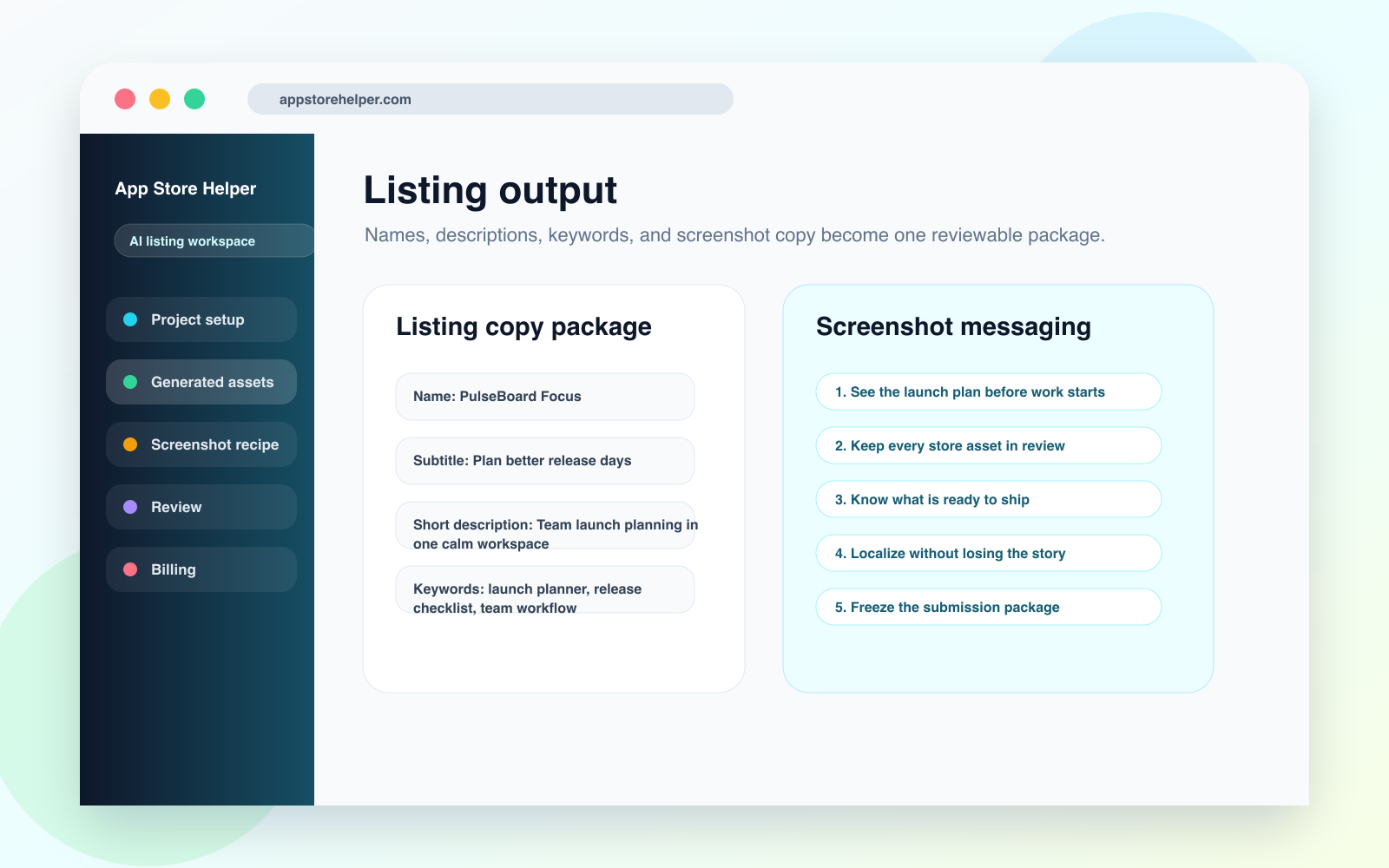
Names, subtitles, descriptions, keywords, and screenshot copy are grouped into a reviewable listing package.
Open PNG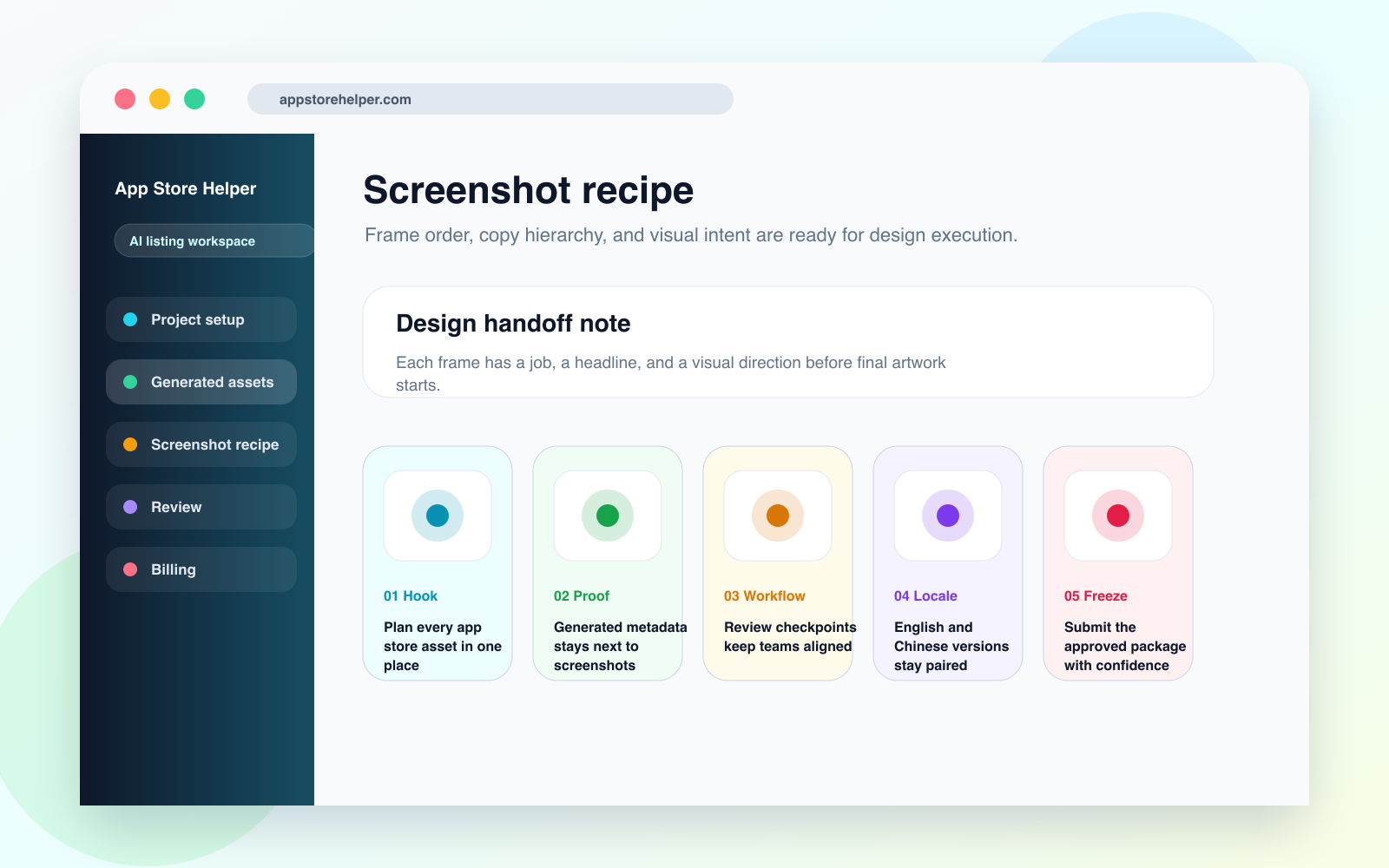
Each screenshot frame carries a headline, visual job, and handoff note for design execution.
Open PNGOutputs
The core value is keeping strategy, assets, review, and iteration decisions in the same operating surface.
Store app positioning, source assets, target platforms, output history, and review state together.
Generate listing copy and screenshot messaging as connected assets, not separate one-off prompts.
Make regenerate decisions visible so teams understand quota cost, review impact, and next steps.
Workflow
App Store Helper is built for the messy middle between strategy docs and final store submission.
01
Capture the audience, offer, tone, platform, category, competitors, and source materials.
02
Produce metadata, descriptions, keyword direction, screenshot copy, and handoff notes.
03
Use checkpoints to align ASO, product, design, localization, and release stakeholders.
04
Regenerate only the assets that need a new direction, while preserving the project record.
Use cases
App Store Helper fits teams where app store work crosses copy, design, localization, and release operations.
Coordinate keyword direction, metadata, screenshots, and test ideas before launch pressure rises.
Translate feature positioning into store assets without losing the product narrative.
Manage multiple client listing projects with clearer status, outputs, and approval moments.
FAQ
A spreadsheet can track tasks, but App Store Helper connects the source context, generated outputs, screenshot messaging, review state, and regenerate decisions inside the product workflow.
It complements general AI drafting by adding project memory, structured output fields, bilingual review, and quota-aware regeneration.
Yes. App Store Helper can prepare the screenshot recipe and copy hierarchy before final visuals exist, so design starts with a clearer brief.
Keep exploring
See where manual docs and spreadsheets start creating coordination cost.
Define the operating system behind metadata, screenshots, review, and launch readiness.
Walk through the five stages — positioning lock, metadata, screenshot narrative, bilingual review, submission freeze.